


A perfect print begins with a perfect stencil, and the stencil depends entirely on controlled UV exposure.
This guide explains exposure technologies, light sources, workflow optimization, and the factors that determine sharpness, durability, and efficiency.
What a Screen Printing Exposure Unit Does
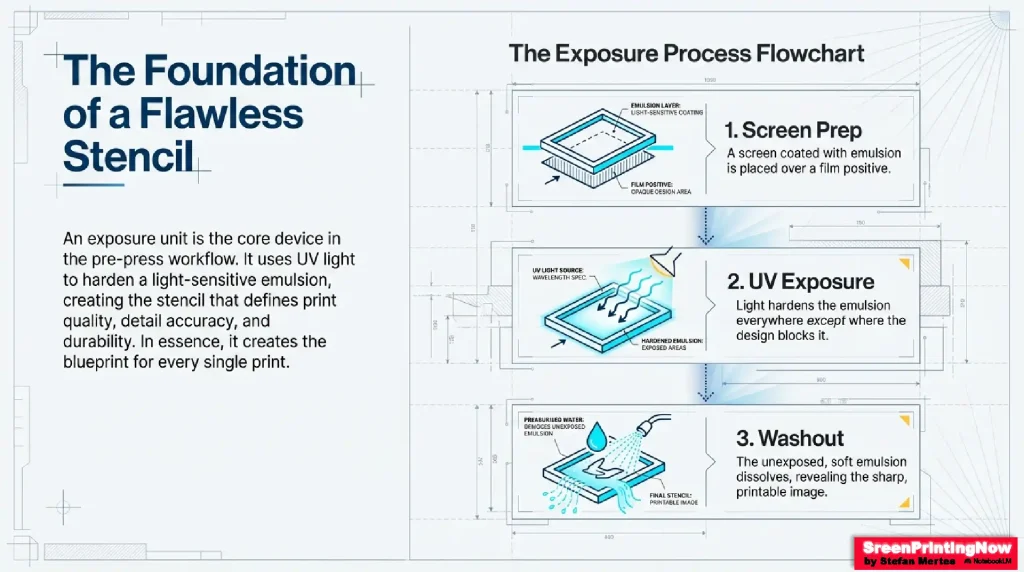
A coated screen is placed over a film positive (or imaged directly with CTS). When exposed to UV light, the emulsion hardens everywhere except where the design blocks the light. During washout, the soft emulsion dissolves, revealing the printable image.
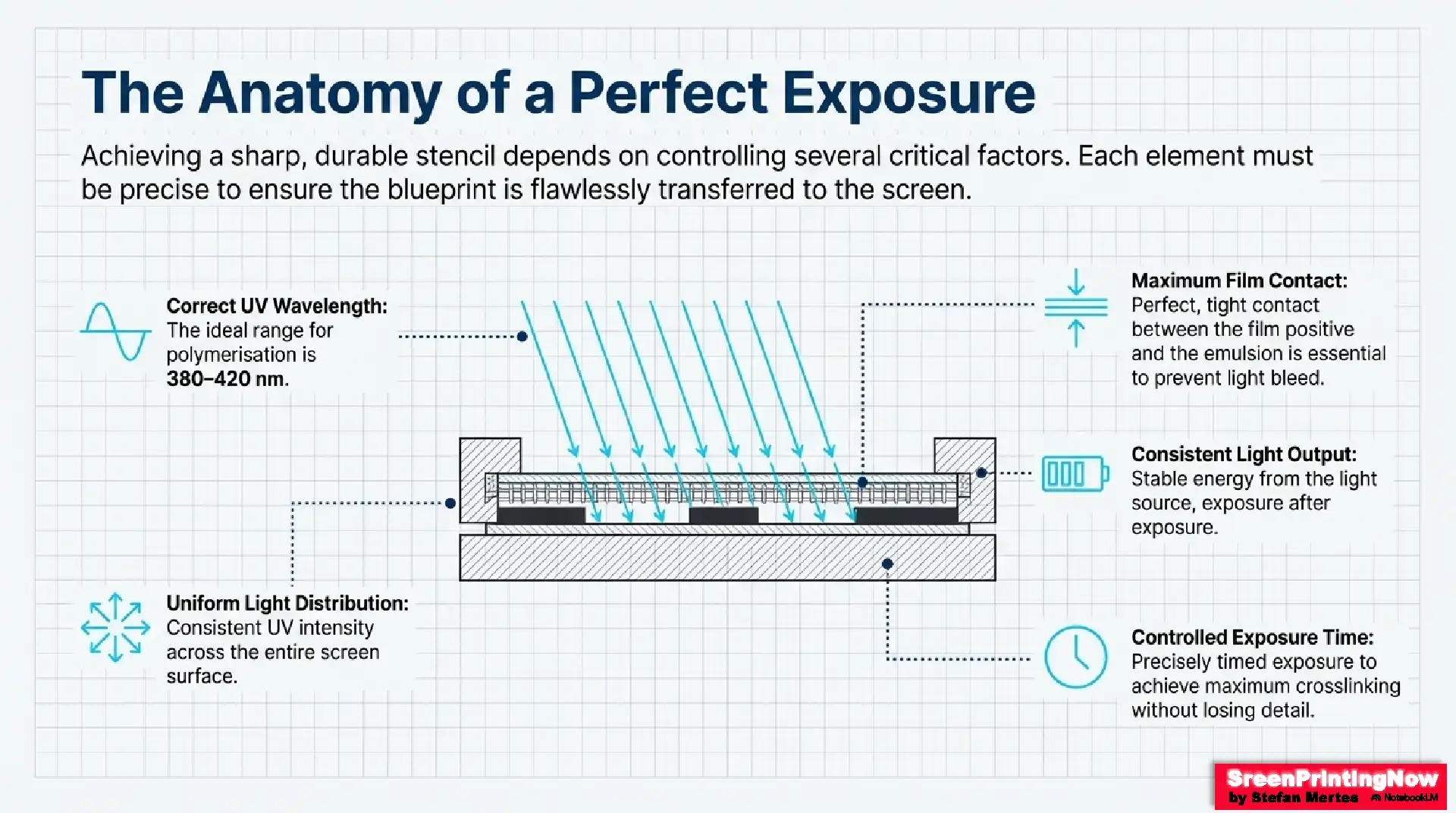
Key requirements for a perfect exposure:
- Correct UV wavelength (ideal: 380–420 nm)
- Consistent light output
- Maximum contact between film & emulsion
- Controlled exposure time
- Uniform UV distribution across the screen
Test Your Knowledge
Light Sources Used in Exposure Units
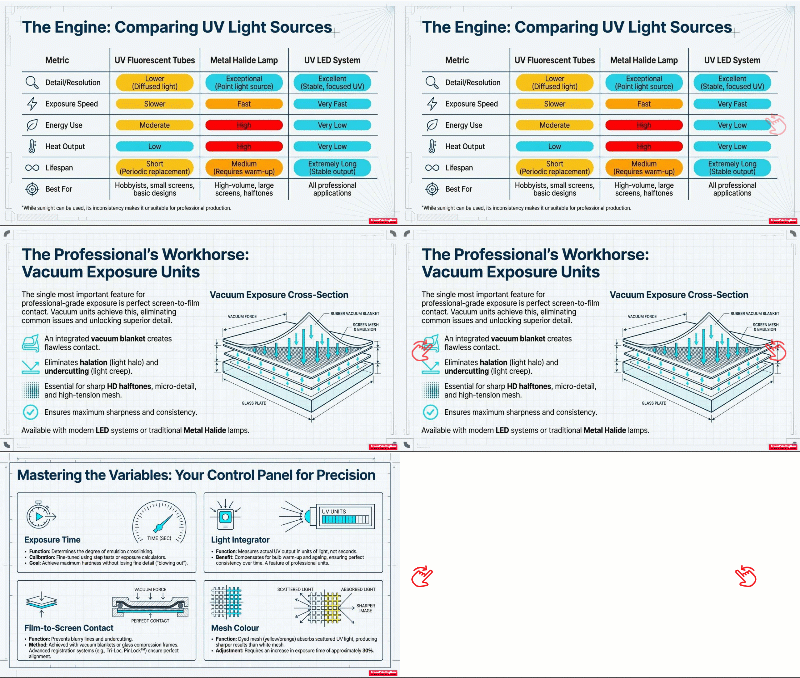
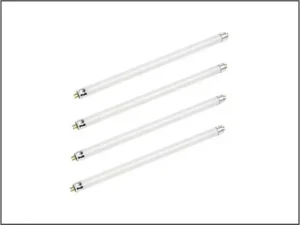
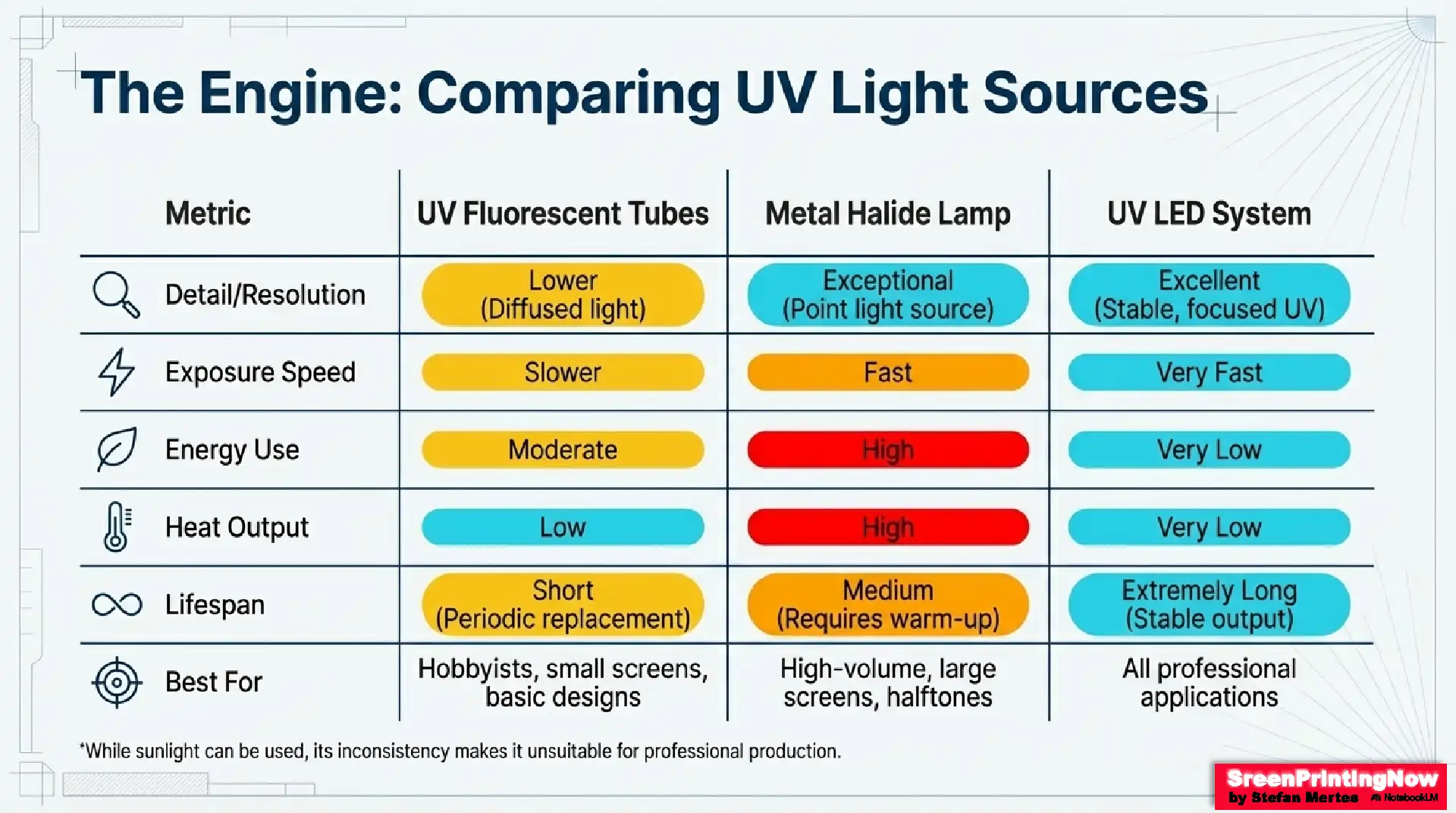
UV Fluorescent Tubes
- Affordable, widely available
- Good for small to medium screens
- Diffused light → lower resolution
- Tubes require periodic replacement
- Common in DIY or tabletop units
Metal Halide Lamps
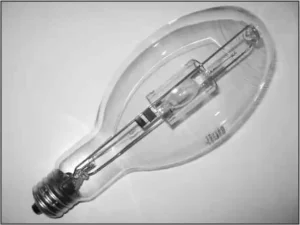
- Strong, multi-spectrum UV
- Exceptional detail, fast exposure
- Ideal for large screens, thick emulsions, halftones
- Require warm-up time
- High heat and energy use
- Known as the historical “gold standard”
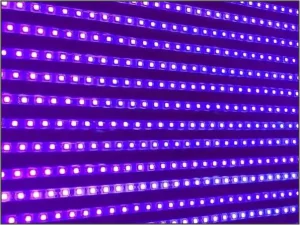
UV LED Systems
- Fast exposure, low heat
- Extremely long lifespan
- Stable, consistent UV
- Energy-efficient
- Available in single-wavelength and multi-spectrum versions
- Now the most popular modern light source
Sunlight
- Free and powerful
- Exposure time ≈ 30 seconds
- Inconsistent and weather-dependent
- Best for hobbyists, not production work

Types of Screen Printing Exposure Units
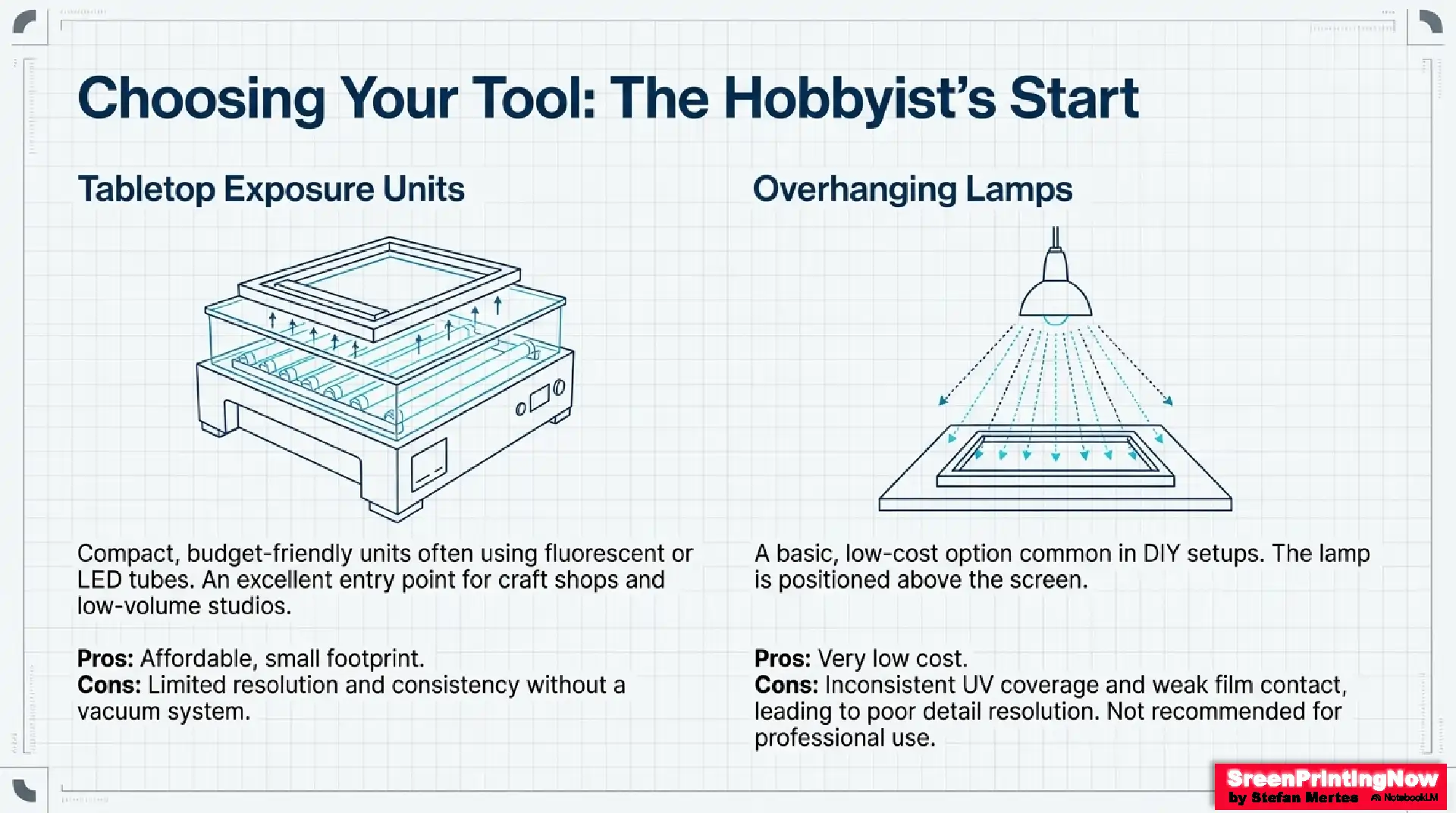
A) Tabletop Exposure Units
- Compact, budget-friendly
- Often use fluorescent or LED tubes
- Good for beginners
- Limited resolution without vacuum contact
- Best for craft shops and low-volume studios
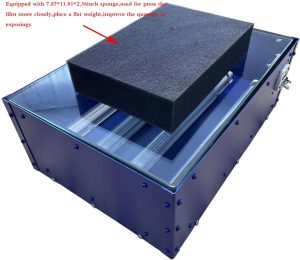
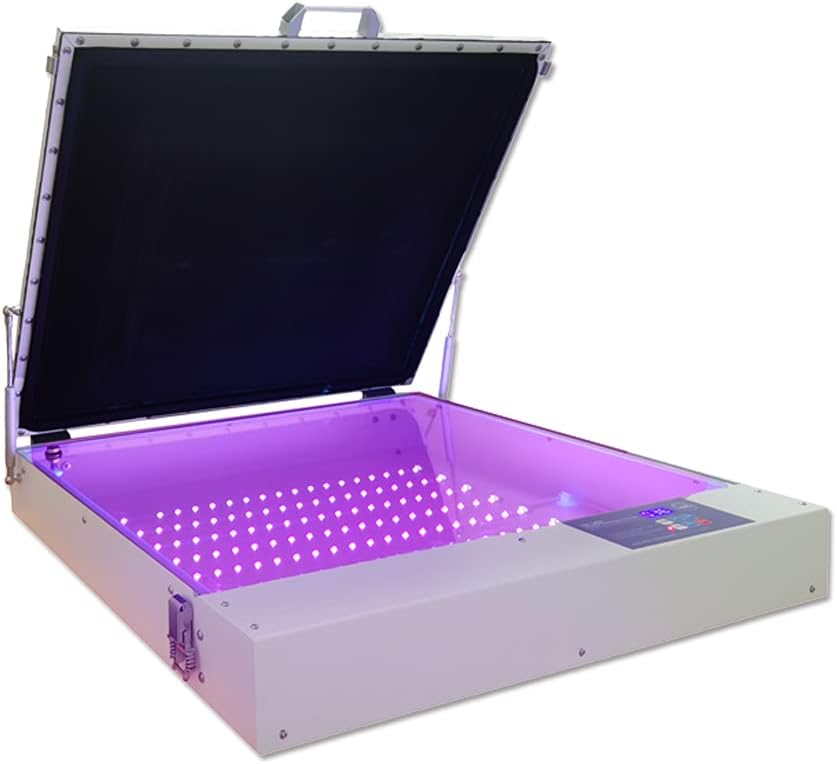
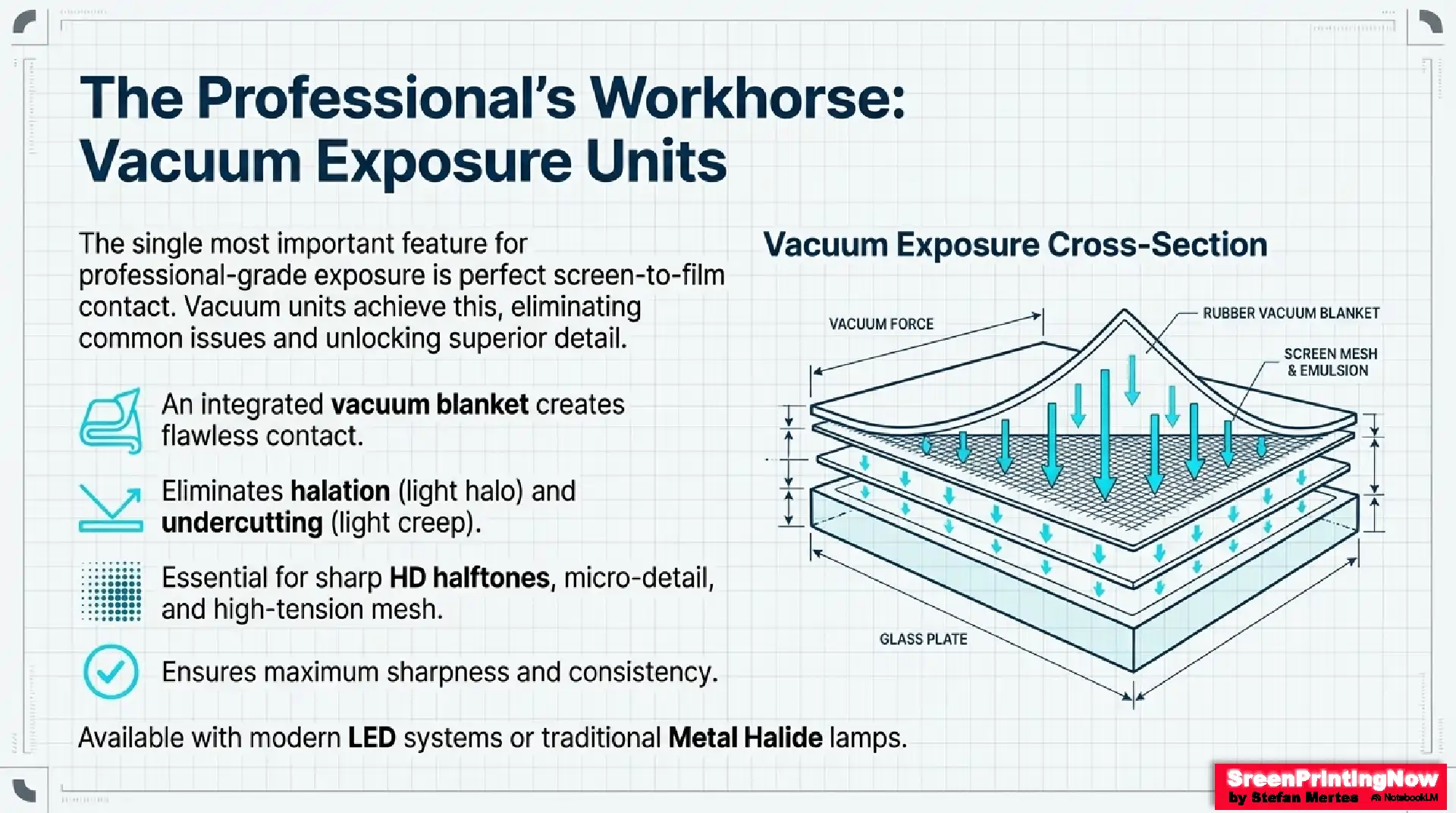
B) Vacuum Exposure Units
- Professional-grade
- Integrated vacuum blanket ensures perfect screen-to-film contact
- Eliminates halation and undercutting
- Compatible with HD halftones, micro-detail, and high-tension mesh
- Available in LED or metal halide versions
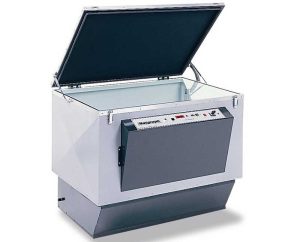
Vacuum Exposure Unit
C) Freestanding Metal Halide Exposure Units
- High UV intensity for fast cycles
- Ideal for large-format screens
- Often used with exposure vacuum frames
- Traditional choice for high-volume print shops
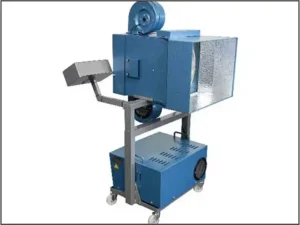
Freestanding Metal Halide Lamp
D) Exposure Vacuum Frames
- Not light sources—just the contact surface
- Used together with an external light source (e.g., metal halide lamp)
- Excellent for oversized screens or multi-screen workflows
- Compatible with advanced DTS / CTS systems
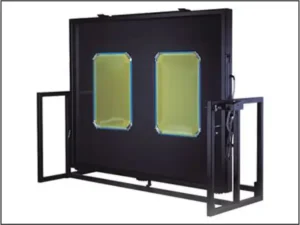
Exposure Vacuum Frame
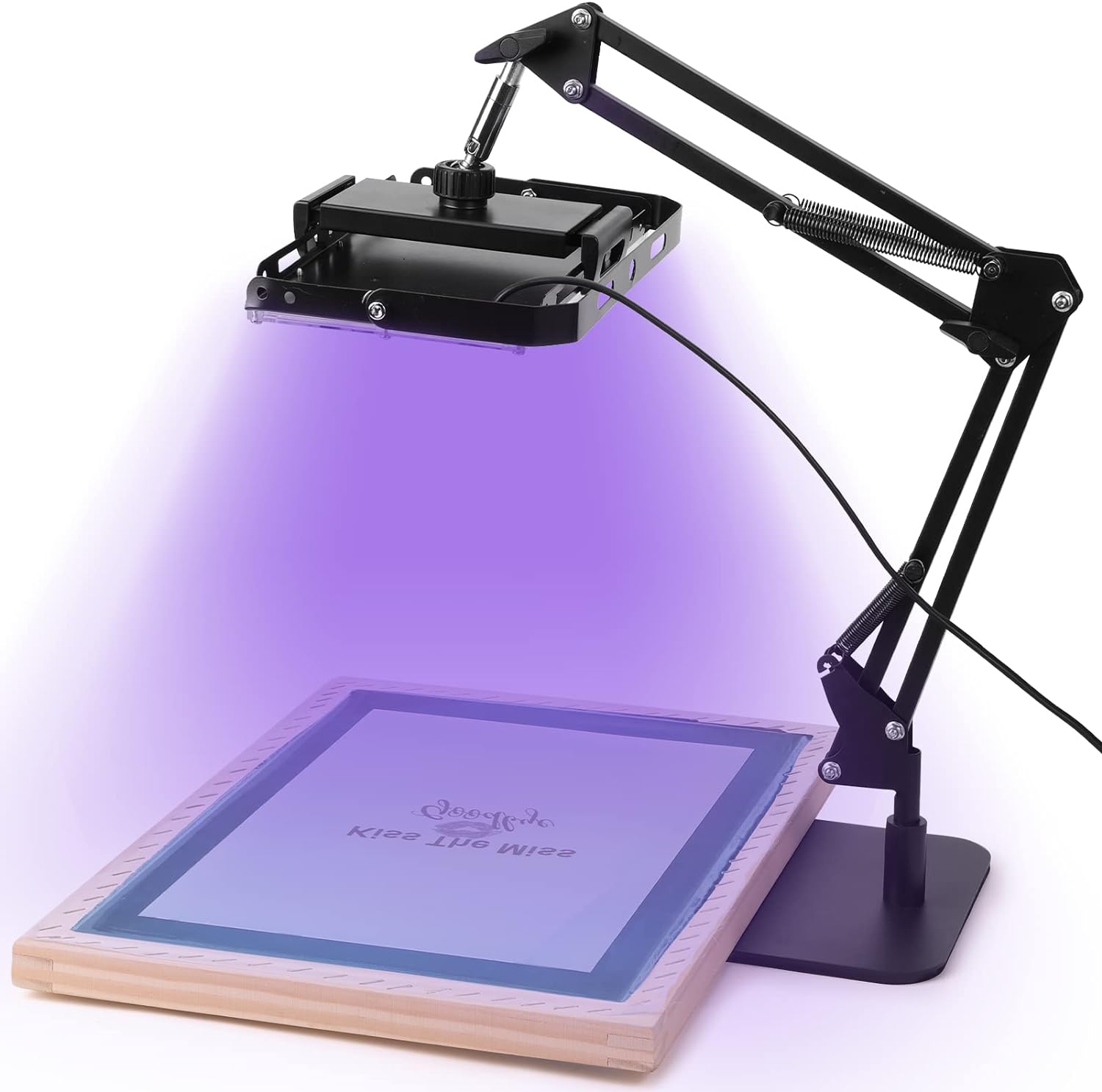
D) Overhanging Lamps (Basic Beginner Option)
- Very basic and low-cost option
- Common in hobby setups
- UV coverage is inconsistent
- No compression or vacuum → weak film contact
- Limited detail resolution
- Not recommended for larger screens or professional use
The Exposure Process: Key Variables
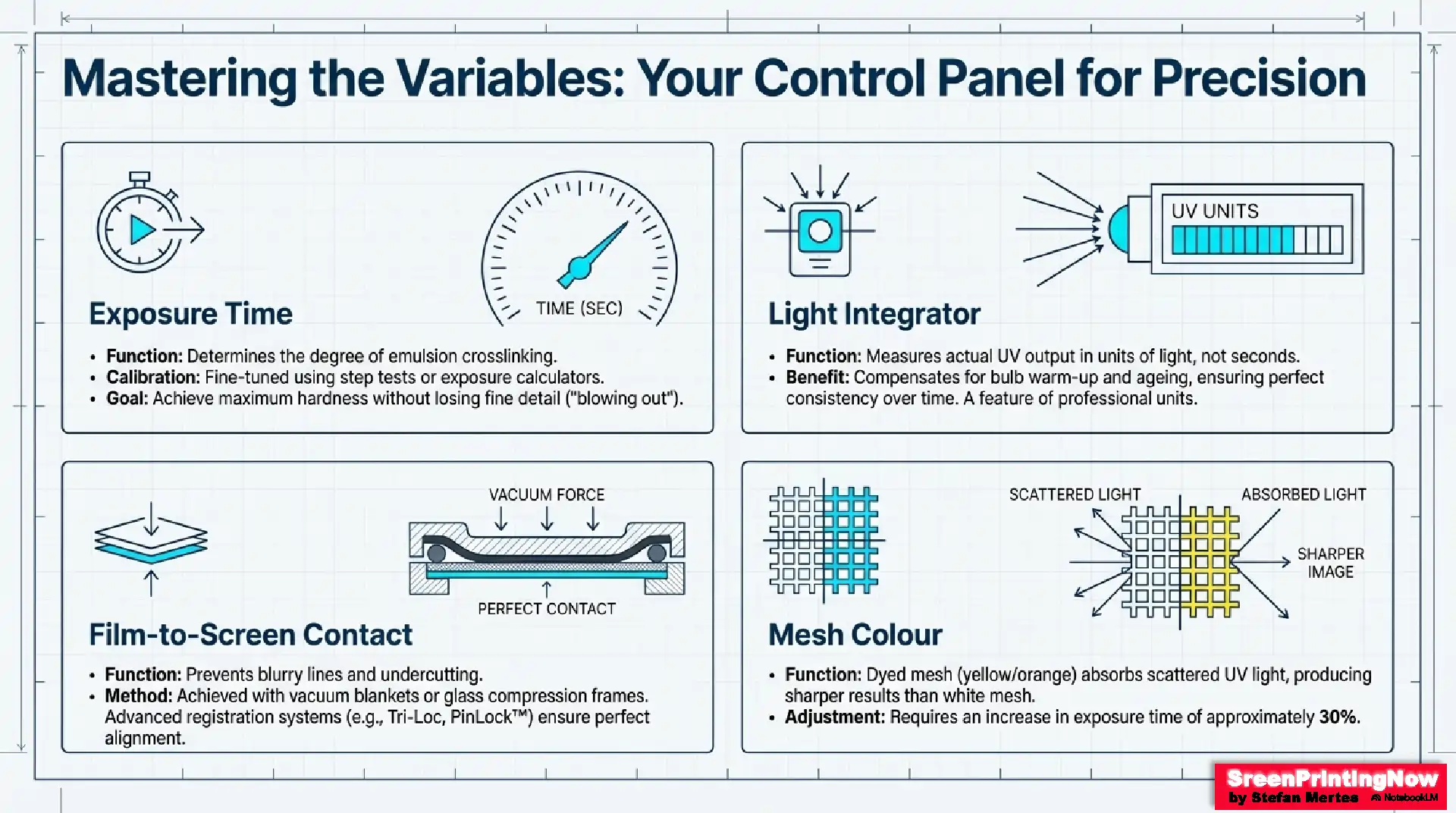
Exposure Time
Determined using:
- Step tests
- Exposure calculators (6–8 zones, instant comparisons)
Goal: Maximum crosslinking without losing fine detail.
Light Integrator
A professional exposure unit often includes a light integrator, which measures actual UV output rather than guessing by time.
Benefits:
- Compensates for bulb warm-up
- Adjusts for aging lamps
- Ensures consistent exposures day after day
Film–Screen Contact
Poor contact causes:
- Blurry lines
- Fuzzy halftones
- Undercutting
Professional units use:
- Vacuum blankets
- Glass compression frames
- Registration systems like Tri-Loc, Newman PinLock™, or TAS EZY REG
Mesh Color
- White mesh: Reflective → increased scatter → loss of detail
- Dyed mesh (yellow, orange): Absorbs bounce-light → sharper results
- Requires ~30% longer exposure
Screen Room Conditions & Maintenance
Environmental Control
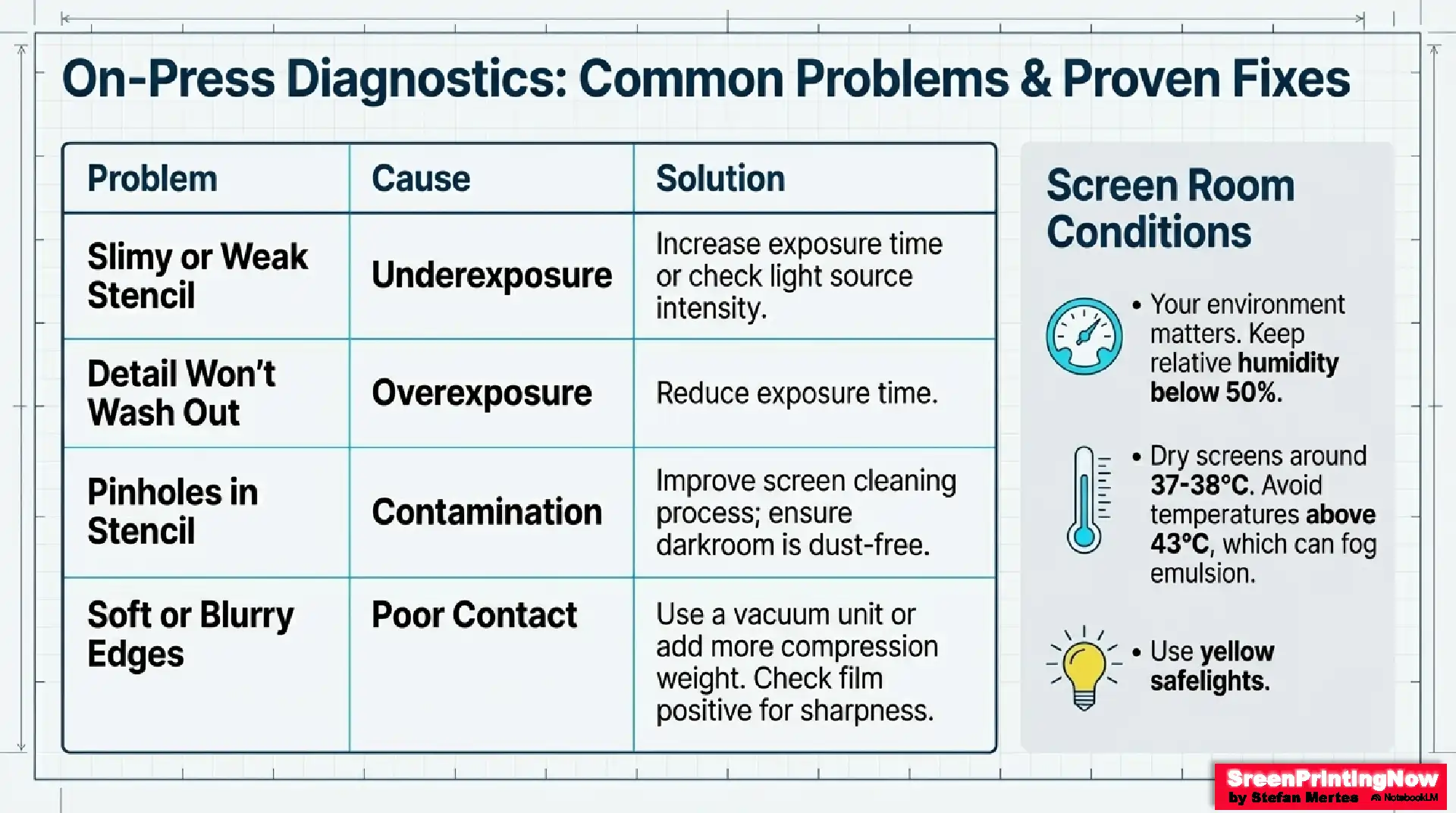
- RH below 50%
- Drying temperature around 37–38°C (100°F)
- Keep screens in dark or under yellow safelights
- Heat above 43°C (110°F) can fog emulsion
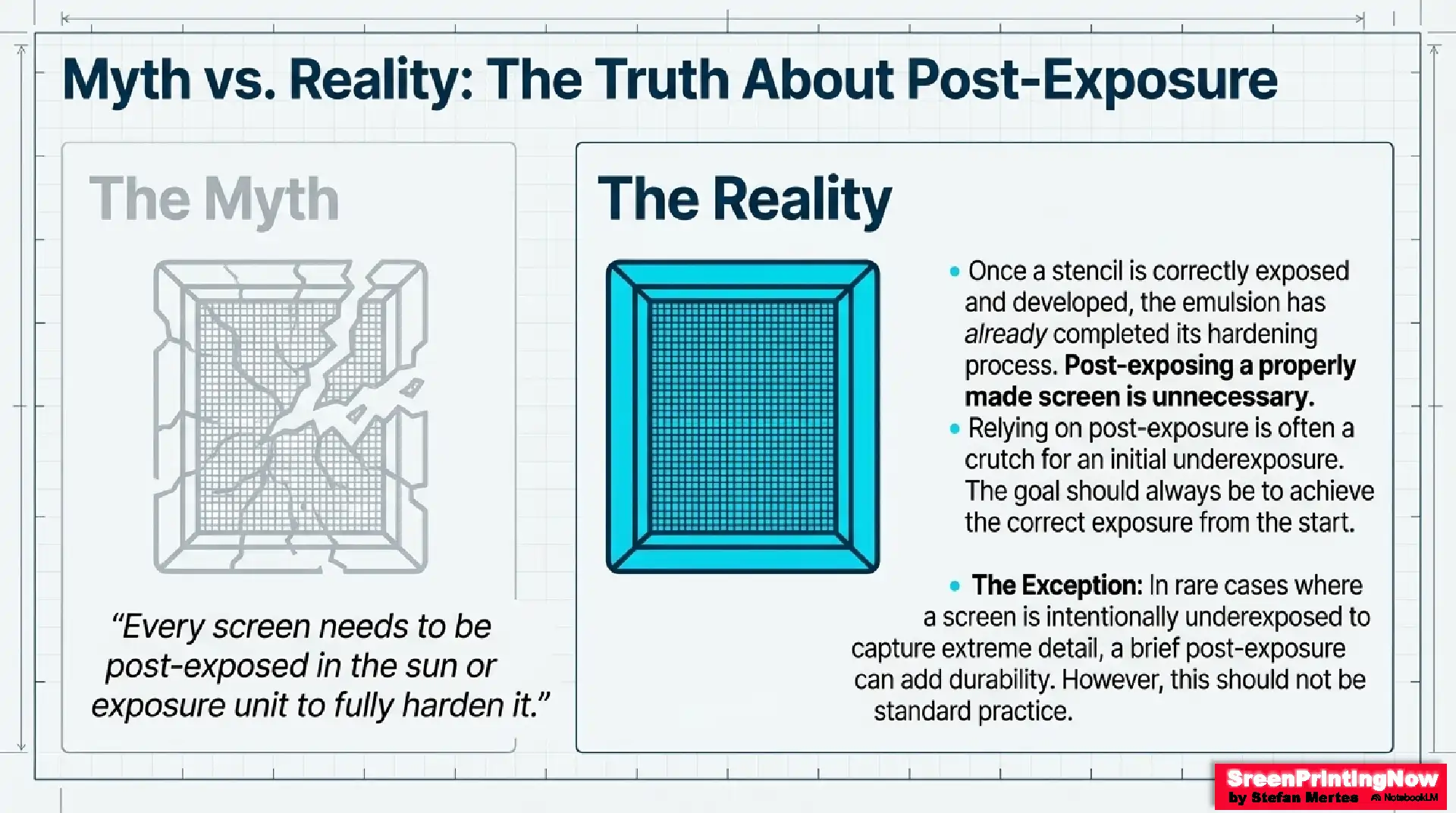
Post-Exposure (Optional, Not Required):
Once a stencil is properly exposed and fully developed, the emulsion has completed its hardening process — meaning post-exposing the screen is normally unnecessary. The idea that every screen must be post-hardened is a myth.
The only time additional exposure may help is when a printer intentionally underexposes to capture extremely fine details. In such cases, a short post-exposure can add durability, but it does not “continue development” — it simply reinforces an already-formed stencil.
However, this should not be common practice. Even with fine details, the goal is always to expose the screen correctly from the start, rather than relying on post-hardening to fix an underexposed stencil.
Common Problems & Fixes
- Underexposure: slimy emulsion, weak stencil → increase exposure
- Overexposure: image won’t wash out → reduce exposure
- Pinholes: dust or mesh contamination → improve cleaning
- Soft edges: poor contact → use vacuum or compression
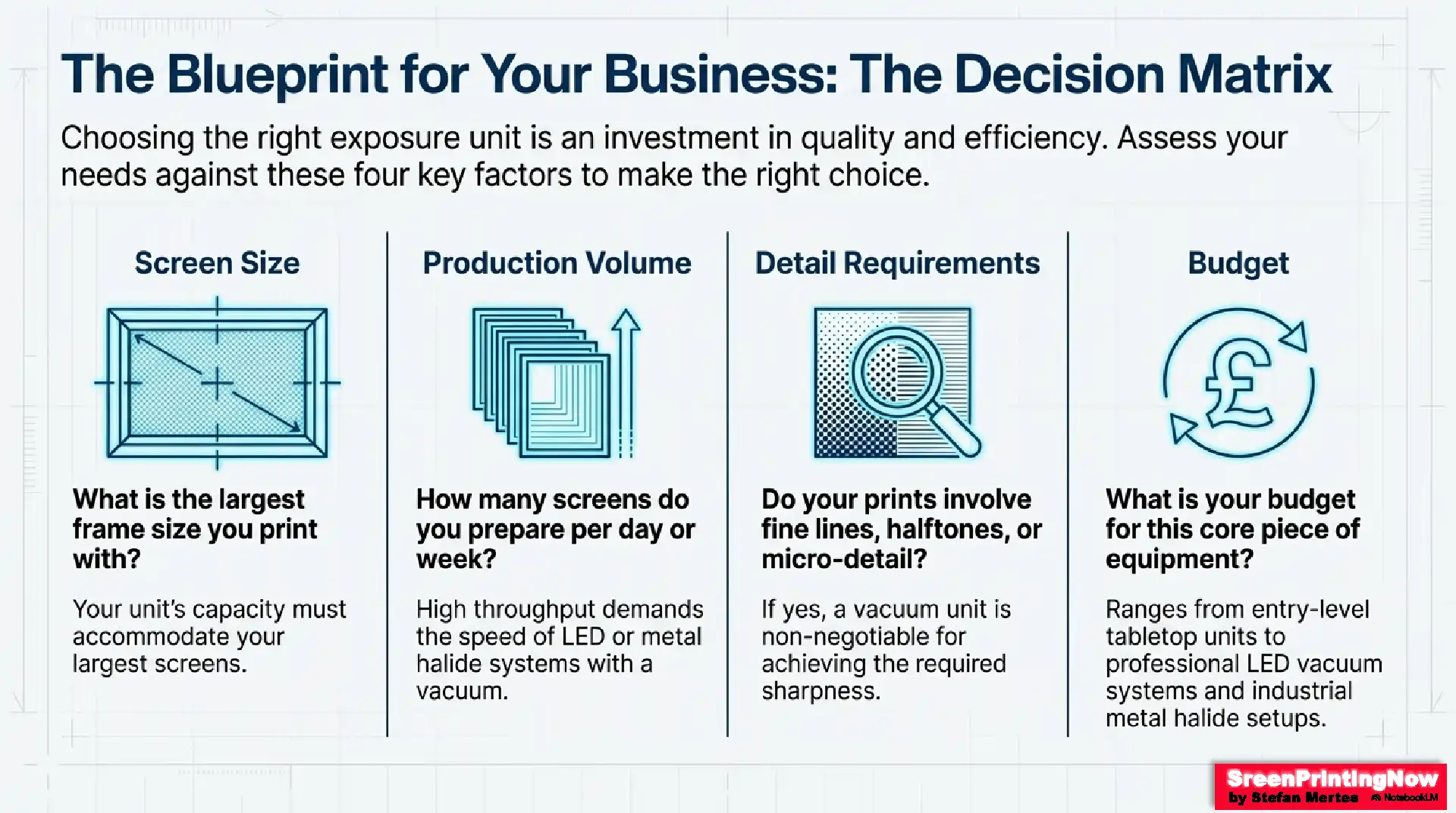
Choosing the Best Exposure Unit
Consider these factors:
Screen size:
Match the largest frame you use.
Production volume:
High throughput → LED or metal halide with vacuum.
Emulsion compatibility:
Dual-cure emulsions behave differently under LED vs. metal halide.
Detail requirements:
Halftones or micro-details require vacuum contact & stable UV.
Budget:
- Entry-level DIY: fluorescent/LED tabletop
- Professional shops: LED vacuum
- Large-format industrial: metal halide + vacuum frame
Ideal UV range:
Choose light sources emitting 380–420 nm for best polymerization.
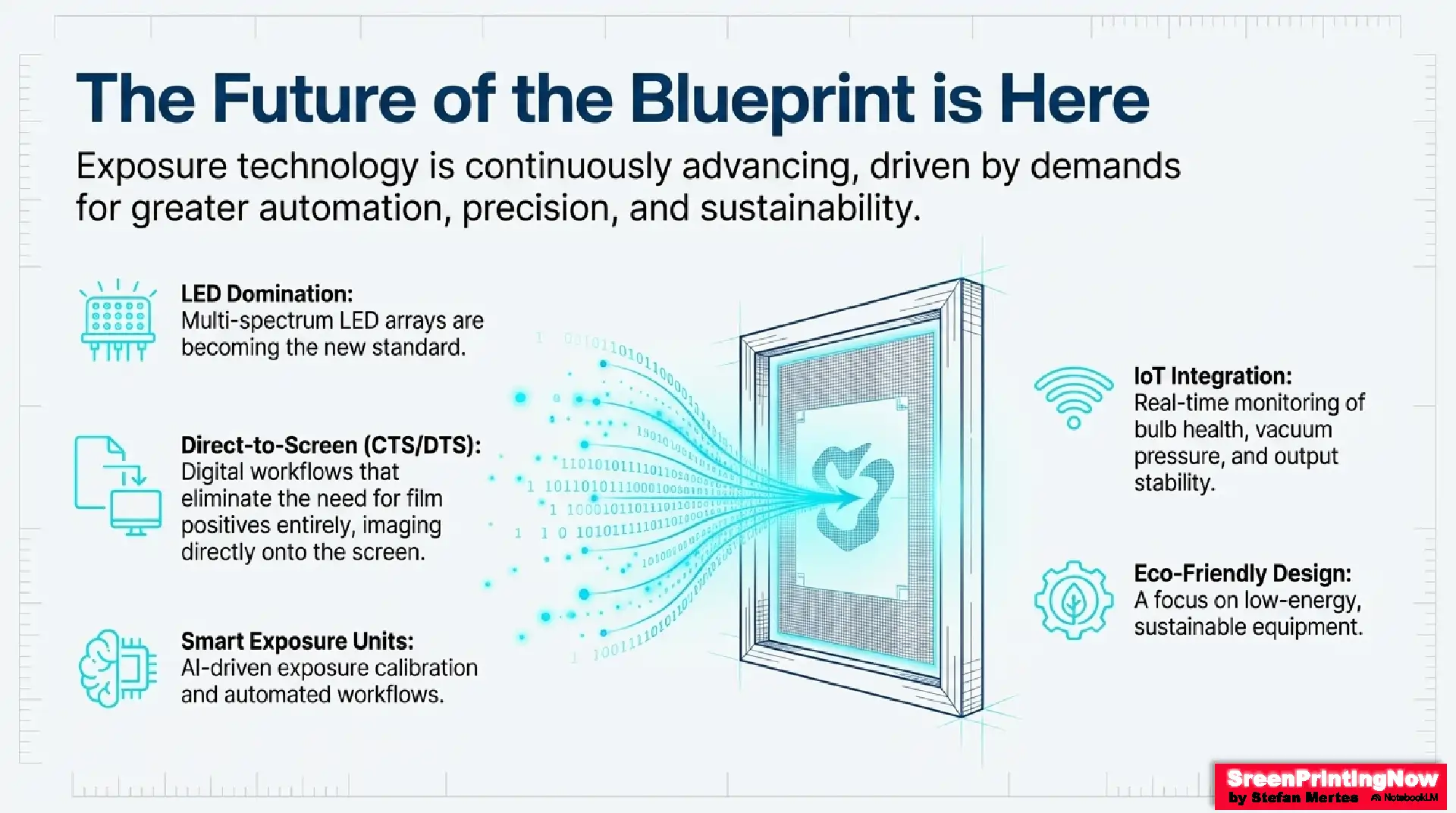
Future of Exposure Technology
- LED domination with multi-spectrum arrays
- Smart exposure units with AI exposure calibration
- Direct-to-Screen (CTS/DTS) removing the need for film positives
- IoT monitoring for bulb health, vacuum pressure, and output stability
- Eco-friendly, low-energy designs
- Fully automated workflows integrated with digital production platforms
The Bottom Line
A screen printing exposure unit is a precision tool that determines stencil resolution, durability, and print consistency. Understanding light sources, contact quality, exposure variables, and emulsion behavior allows printers to choose the right unit and operate it at maximum efficiency.
Whether you’re a beginner or running an industrial print shop, mastering exposure technology is the fastest way to improve print quality, reduce waste, and achieve consistent, professional results.
FAQ’s
Slimy or Weak Stencil
Underexposure
Increase exposure time or check light source intensity.
Detail Won't Wash Out
Overexposure
Reduce exposure time.
Pinholes in Stencil
Contamination
Improve screen cleaning process; ensure darkroom is dust-free.
Soft or Blurry Edges
Poor Contact
Use a vacuum unit or add more compression weight. Check film positive for sharpness.



I have an old RXP exposure unit with 4 18” UV Fluorescent tubes, G13 base, the ones with mercury in them. Can I just swap them out for 18” LED Daylight tubes like the ones sold at Home Depot? Thank you.
I’m not sure about it, as I do not know this unit.